
Reinforcement Learning · Unity
Machine Learning Agent Target Chase
Unity reinforcement-learning experiment covering environment design, ML-Agents training, TensorBoard monitoring and ONNX inference.
- Unity
- C#
- Python
- ML-Agents
- PyTorch
- TensorBoard
- ONNX

01
Experiment Context
The project applies observations, actions and reward signals to a target-seeking navigation task, with TensorBoard used to inspect training progression.
- Environment
- Unity 3D
- Package
- ML Agents 2.0.1
- Demo
- 00:28
02
Learning Task
- 01Target-seeking agent behavior inside a Unity 3D environment
- 02Positive and negative reward signals for learning
- 03Named and resumed ML-Agents training runs
- 04TensorBoard monitoring and exported ONNX policy for Unity inference
03
Training Workflow
- 01Prepare Python 3.9.13 and create a virtual environment
- 02Update pip and install ML-Agents with PyTorch, Protocol Buffers and ONNX
- 03Start a named training run and resume from a previous result when needed
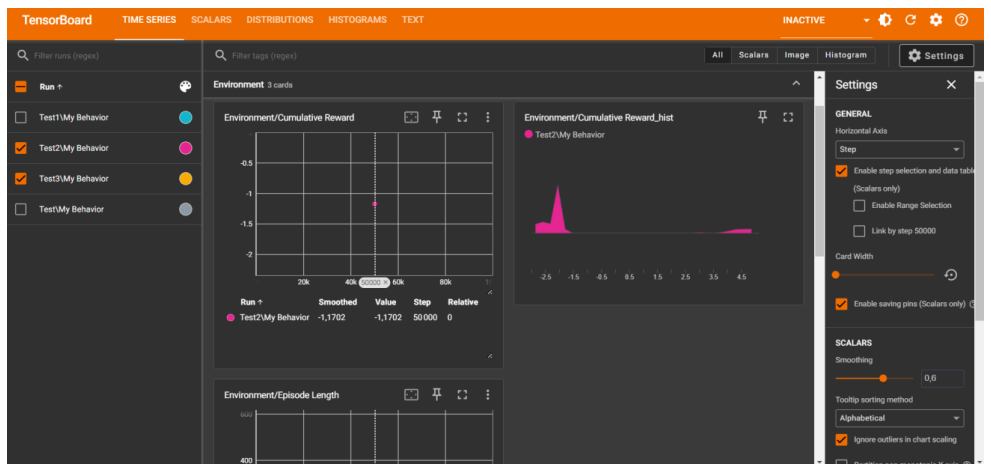
- 04Monitor cumulative reward and episode length in TensorBoard
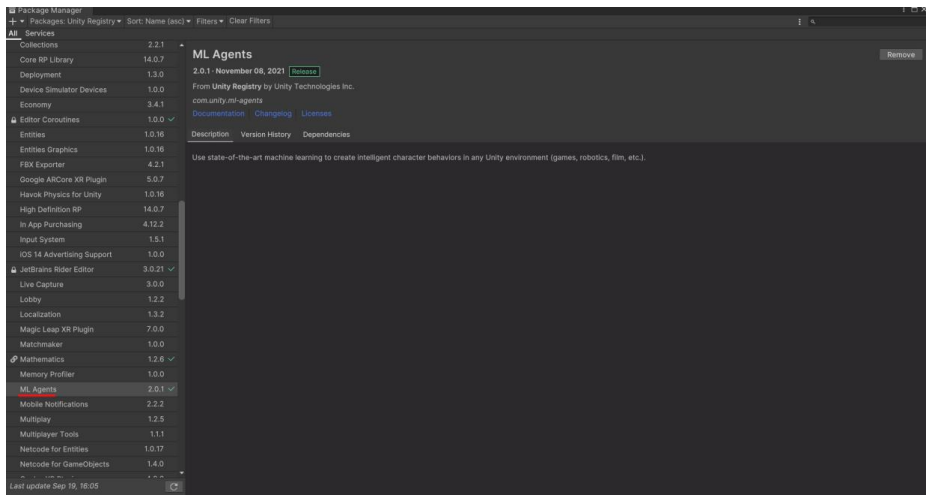
- 05Install ML Agents 2.0.1 through Unity Package Manager and use the trained policy in Unity
04
TensorBoard Monitoring
The supplied dashboard records multiple named runs and exposes cumulative reward, reward distribution and episode-length metrics.
05
Unity Integration
The Unity Package Manager evidence confirms the ML Agents package used to connect the trained behavior to the Unity project.
06
Project Demonstration
The short recording is included as optional runtime evidence after the faster screenshot and training overview.
07
Technical Approach
- 01Python 3.9.13 virtual environment with an updated pip toolchain
- 02ML-Agents toolkit with PyTorch, Protocol Buffers and ONNX dependencies
- 03ML Agents 2.0.1 installed through Unity Package Manager
- 04C# environment and agent behavior with X/Z movement and obstacle collisions
08
Limitations
- 01The supplied TensorBoard evidence documents training activity but does not provide a controlled comparison between policies.
- 02The environment remains intentionally simple and does not document complex randomized scenarios.
09